Animated telemetry
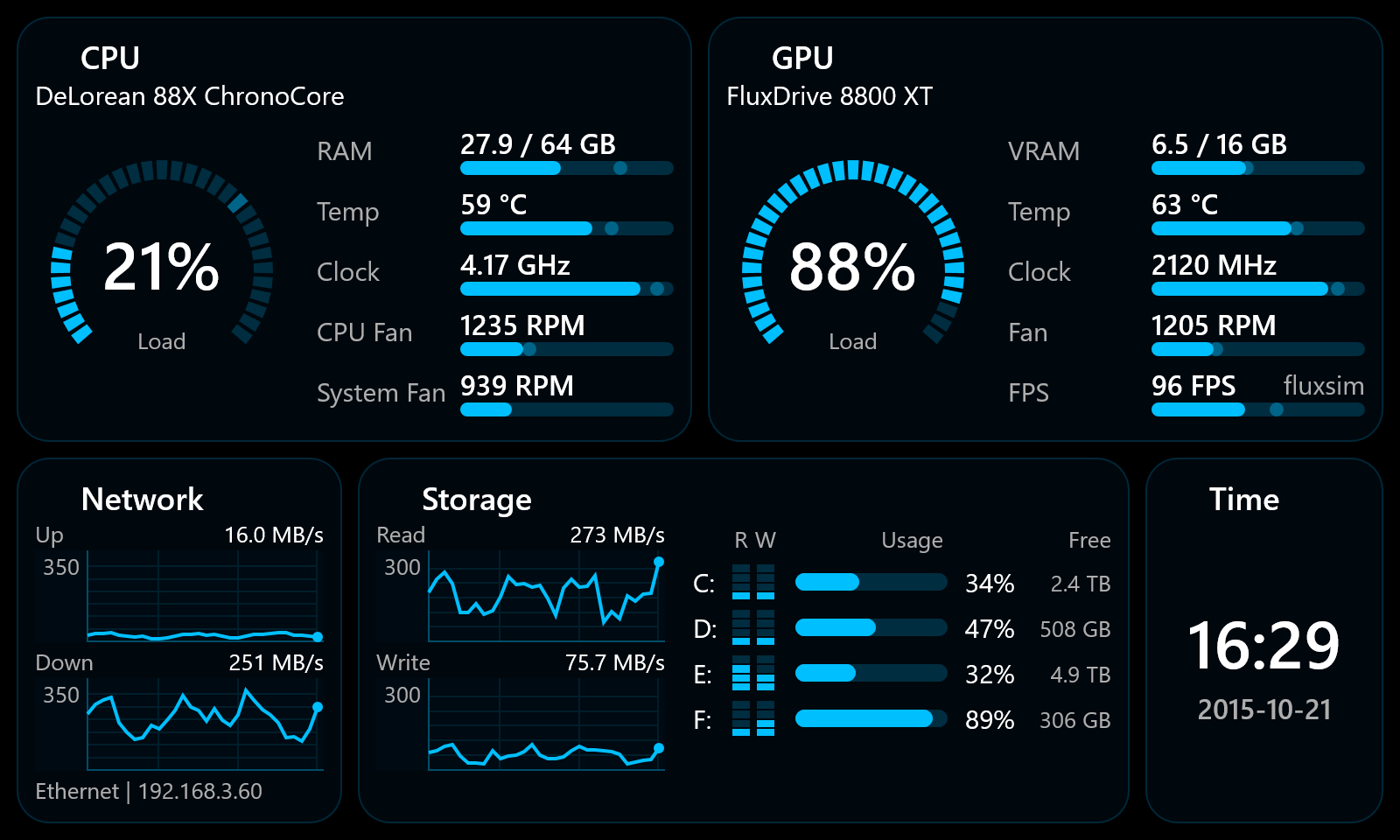
Key system signals stay glanceable, with metric fills and plots animated between snapshots.
Windows telemetry for small displays
A compact dashboard for dedicated PC telemetry screens. It feels at home on a small case-mounted panel, and edge auto-hide keeps it practical on a single monitor too.
Install the MSI and run CaseDash. Use the hover titlebar or right-click menu for layout, theme, display fitting, and startup.
Features
Key system signals stay glanceable, with metric fills and plots animated between snapshots.
Constraint-based layouts with guides for cards, widgets, spacing, and text anchors.
The website theme switcher includes every app theme, using the same base colors as CaseDash.
A Windows executable under 1 MB, with vsync-paced animation that spends less than 1 ms per frame.
Ready-made layouts fit the common shapes of compact telemetry panels.
The hover titlebar and right-click menu keep setup close. Once fitted, the panel stays clean.
Hardware
Layout
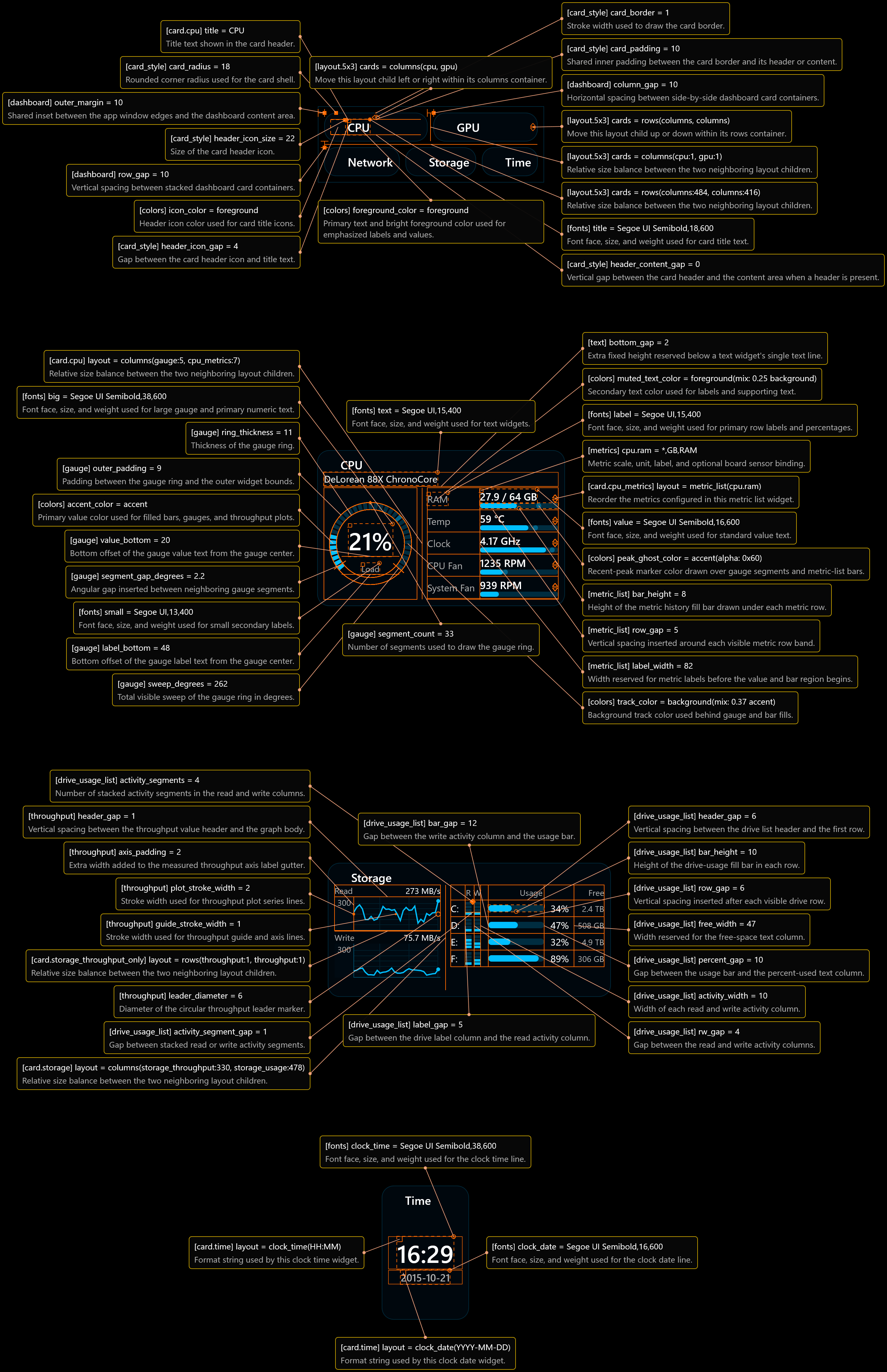
CaseDash uses named static layouts sized for small displays. The guide sheet below is generated from the app and shows editable cards, widget guides, spacing controls, and hover-style callouts.
Contributions
Contributions are welcome in code, issues, sketches, and plain ideas: themes, layouts, telemetry providers, localization, and practical feedback.
The most useful code contributions are new hardware providers. New hardware support is especially valuable when it comes from the owners of real machines and from someone who can test the result.